The right menu gets lost
At lunchtime, guests search through breakfasts and evening dishes. Some items are no longer being served.
How QRmenu helps
Set serving hours so the QR opens the menu available now.
Make dishes tempting, highlight the ones with better margins, and update prices without reprinting your menu. Your first 12 months cost 0 AMD.
A long menu makes choosing difficult. A dessert goes unnoticed. A lunch offer gets lost among other dishes. Here is how your menu can help.
At lunchtime, guests search through breakfasts and evening dishes. Some items are no longer being served.
Set serving hours so the QR opens the menu available now.
Unfamiliar names and a long list make choosing harder. Guests fall back on the same familiar dish.
Clear photos and preference questions help guests discover suitable dishes.
Guests choose a main dish and close the menu before reaching the extras.
Highlight extras with photos and labels today. Automatic pairings are a new feature idea.
Choose a scenario, then try the sample menu. Each example shows a different way to help guests choose.
Set the serving hours for each menu. The same QR opens the menu for your restaurant’s local time, with the dishes and prices available then.
Demo menu · illustrative dishes and prices
Choose Lunch or Coffee below. Watch the dishes in the menu change.


Choose dishes with a good margin yourself. Add an appetising photo and a custom label such as “Our pick” to help guests notice them.
Update a price in the dashboard and publish it. Your QR code stays the same, so there is no need to reprint the menu.
Publish translated descriptions. Visitors can understand your dishes and explore the menu with fewer questions for the waiter.
Try your own assumptions. This illustration calculates extra sales and the amount left after variable costs.
Illustration, not a sales forecastextra items × days × (price − variable cost)
Include ingredients, packaging and other costs that rise with each sale. Rent, salaries, taxes and other expenses still need to be paid from the remaining amount. This is not net profit or a guaranteed result.
We’ll help you put your menu online and configure it. Your first 12 months are free.
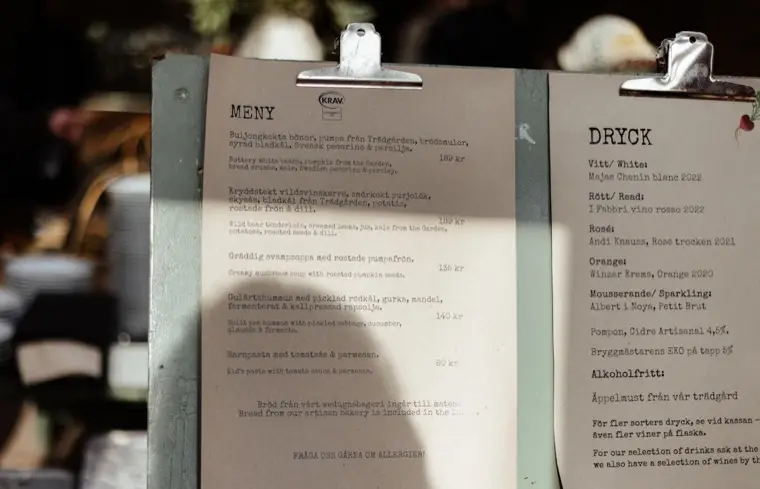
Photograph your paper menu — up to 10 pages. Crumpled, handwritten, two columns; it copes.
Dishes, prices, descriptions and dietary tags are read and organised into clean categories.
Publish and get a QR plus a link. Print it for the tables or drop it in your bio.
We personally help with the first launch: checking the menu, sharing the permanent QR code and making sure it opens correctly on a phone. We’ll use the number from the form to call or message you on WhatsApp.
The first 12 months cost 0 AMD. After that, plans start at 3,900 AMD per month. There is no automatic charge, and we send a reminder 30 days before the free period ends.
A reviewable mobile menu is usually ready in about 3 minutes after you provide clear photos of the current paper menu.
No. Guests scan the QR code and the online restaurant menu opens in their phone browser.
Yes. The QR code is permanent, so you can update dishes, prices and availability without replacing the code on the table.
Leave your venue name and phone number. We’ll contact you and help launch your menu.